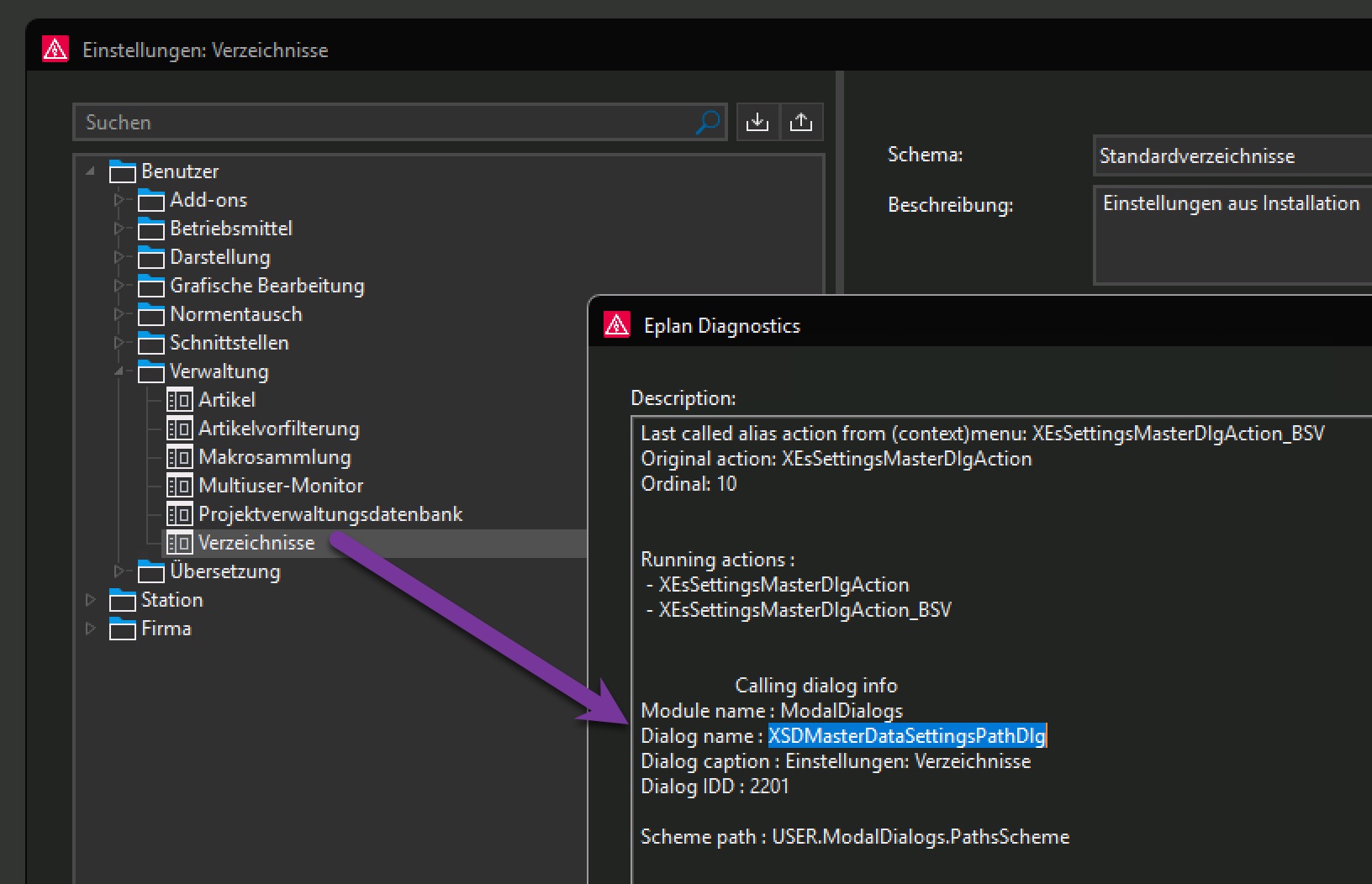
Man kann beim Aufruf vom Settings-Dialog mit XEsSettingsMasterDlgAction auch einen Dialog mit angeben. Damit wird direkt zum Einstellungsknoten in der UI gesprungen.
An den Dialog-Namen kommt Ihr nach Selektion in den Einstellungen + Diagnose-Dialog: XSDMasterDataSettingsPathDlg
public class SettingsDialogJumper
{
    [Start]
    public static void ToDirectories()
    {
        ActionCallingContext acc = new ActionCallingContext();
        acc.AddParameter("SelectDialog", "XSDMasterDataSettingsPathDlg");
        new CommandLineInterpreter().Execute("XEsSettingsMasterDlgAction", acc);
    }
}
Hinterlasse einen Kommentar